

Traffic Screensaver 4.8
Make your own Traffic screensaver in a very customizable way
Program info

Have you ever thought about a customizable screensaver but with so many options that you will be able to change it every day if you want to? Well Traffic Screensaver is one of those super customizable screensavers to use once and again and never get tired of.
With Traffic Screensaver you can use transparent pictures to put them on the wagons, such as adds; you can change logos, and also you can make your own train by placing different wagons in different parts, just as you like. Even when it looks just as a simple screensaver it also has functions for collecting, organizing and storing the vehicle pictures and adding technical data to the pictures.
Traffic Screensaver allows to use any picture format (static gif, jpg, bmp), and thus you can create your library or enlarge an existing library. It has a help section where is explains everything you need to know in order to better master this great Traffic Screensaver. You can also download pictures form the developer's page and add them to your library.
Pros
- Easy to use
Cons
- Not so good graphics
Details
Extensions

No information available
The data will be available later.Old versions

No information available
The data will be available later.Awards


Related software
Displays an aquarium simulation as your screensaver.

It is a program that allows you to create screen savers.

The screensaver shows an artist's hand drawing animals, people, cars, and more.
Related stories
See all
If you're interested in broadcasting the action on your screen, here are a few you ways for you to do that without spending any money.
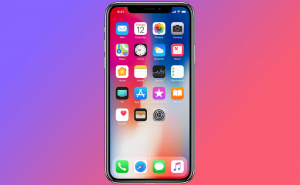
Featuring an all-glass body with no bezels and no Home button, Apple's newest iPhone looks nothing short of extraordinary.

You can now broadcast the action from your screen on Facebook Live without using a third party solution and all you need is the latest version of Google Chrome.


Comments